Pages

ad

Showing posts with label blogging. Show all posts

Saturday, April 2, 2011

Unlimited Free Visitor & Traffic

Now, we will talk about the benefits that can be offered by this system to you. But before you proceed, you may wonder why you need "traffic"? Here's why.

1. "Traffic" is one of the indicators used google and other search engines to determine how important your blog or website.
2. "Traffic" is also an indicator that your blog is a blog that reliable, so you will be much easier to achieve first page positions on Google.
3. If you are posting program paid then you really, really need the "traffic" you need more than Pagerank. If you are in the Alexa 300,000, then you will be very easy to win the bid (bargaining) with advertisers.


Ok, will be very difficult for me to explain the advantages of this program, before I explain how to play. I am sure this way more easily than blogwalking every day.

Try to calculate how much time you spend each day for blogwalking? And how much can you invite every time you blogwalking? I also blogwalking, and maybe it will become a daily activity just to maintain your position .... alexa rank


In this system there are some actions you need to do .

* Go to the 1millionfreehits [dot] com page
* Quickly slide the pages of this web page down until you find a view like this (7 pictures thumbnails)


* Right-click on each image thumbnails and select the option to open in a new tab (open in a new tab). So open 7 new tabs
* On top of the window of each tab will have a blue bar with the inscription "AD CODE GENERATION .... please wait". Wait until appears the code numbers.


* Put the code number you find in the order of the columns below the thumbnail image.


* Fill the application form as a picture.


* Open the e-mail ( i suggest you to used the gmail)address that you enter on this form and find an e-mail from 1millionfreehits [dot] com.
* Then click the link circled in red
* You'll go into this congratulatory page
* Write down your ID and password then click ADMIN AREA MEMBER red circled
* You'll go to the login page is
* Enter your ID and password then click submit. You will be taken to the next page ....
* The red circled URL is your membership you need to note. Then the blue is a box that allows you to monitor your system development.


This view would you use to measure the growth of this system

Now you need to promote your membership link, like other services. Make a blog like you are now reading this , or create a new post about it (IMPORTANT!) . Fill these pages with articles such as this, but if you are lazy, just Copy Paste this article. how to promote the new posts could be read Unlimited free visitor & traffic.


Right now I will explain the benefits of this program compared to other programs.

1. This program is the English-language programs so that you can invite foreign bloggers to join.
2. This program requires participants click on the thumbnail to get the code, so it will result in the increase of "traffic" for you. Other program offers only baclink and there is no guarantee the new members click on your link. These programs not only offer a backlink, but also increase the "traffic" to help your Alexa Rank.


How much "traffic" is:

Notice that there are 6 thumbnails, every time there is a sign he would rank first, and if there is a new referral sign he will come down to rank 2, etc.. Let's just say we each take just 10 people (most likely more), then the number of visitors and backlinks you is :

In position 1: 10 links and visits
In position 2: 100 link and visit
In position 3: 1000 links and visits
In position 4: 10000 links and visits
In position 5: 100000 links and visits
In position 6: 1000000 link and visit

Can you imagine if the blog you visited 1,000,000 and 1,000,000 have backlinks (one-way backlinks!). How alexa rank, pagerank and link popularity you? Colossal! Nobody will refuse your bid. Many will ask advertisements on your blog, and that means income in large numbers. It's just that you do have to bother to do that is explained here.

Can you see the numbers above? Many articles circulated link says can get millions of links but they only play in Indonesia. Serious bloggers in Indonesia is not so much ....


3. Higher quality backlink. Why?

Have you noticed that the above you are requested to make a backlink from your main blog URL to your membership page. This is intended to help search engines to index your membership of this page. 1 links to the URL of your membership to this, you are likely to get the 1,000,000 one way backlink backlink.

Are you hurt someone else (stealing other people Pagerank). Of course not! Your backlink will be from the membership of the URL and not from the main blog URL that person.

What is the value of Backlinks from pages that membership? Although PRnya very small, but because the number of links that have only 7 seeds, then the PR value on offer is better than public relations obtained from a PR2 blog to have 150 links in 1 pages (Participant link exchange).


Did you know that the article backlink MLM is not much benefit you? ... Why?

* The article was written over and over again and you must post them on your main blog. Is not a good thing to have articles written repeatedly (plagiarism) in your blog.

* Your link installed in the article may not be indexed by Google. This means not necessarily a backlink, and very hard to increase "traffic" . (rarely a click)

* MLM backlink article do not necessarily match the theme of your blog, so can interfere with your keyword while still inhabiting your homepage.

* This system gives you the tools you can use to monitor developments, in contrast to articles that are not MLM backlink observed at all.


If you really need "traffic" and backlinks, then I think personally, this way can help you. Promote living well to at least 10 people. If you really want to do all these procedures, it would take about 1 hour, consisting of 10-minute registrations, 20-minute campaign blog, and 30 minutes to promote it to your friends. Let them decide whether they need "Traffic" and Backlink this. But if you read up on this point, so there's no doubt you "traffic" and good backlinks

Thus increasing "traffic" tips from me, hopefully useful!! Do not forget ya koment and his header ads if you feel this article useful, and please critique and advice if something is missing ..

How to Make emoticons in Blog Comments Column

Install emoticons above comment box will make it easier for commentators to show expression and emotion. To sample Emoticons can be seen on my column's comments.

:)):)] ;)) ;;) :D ;) :p :(( :) :( 
:X =(( :-o :-/ :-* :| 8-} ~x( :-t 
b-( :-L  =))

Before installing the above Emoticon comment box, make sure the system was already using the latest Commenting from bloggers (see here), if my explanation still does not work too .. maybe it should be no change in coding XML Template.

To install the column Emoticon code comments, first .. Edit HTML view the first entry, then copy-paste the script below the orange and place the code above </ body> This code is usually located at the bottom of the HTML code.

<script src='http://sites.google.com/site/sulthanyusuf99/my-hosting/smiley.js'
type='text/javascript'/>

As for installing emoticon codes comment box above, remain on the Edit HTML page (do not forget to check the Expand Widget Templates). then look for the red color code below:

<p class='comment-footer'>
<b:if cond='data:post.embedCommentForm'>
<b:include data='post' name='comment-form'/>
<b:else/>
<b:if cond='data:post.allowComments'>
<a expr:href='data:post.addCommentUrl' expr:onclick='data:post.addCommentOnclick'><data:postCommentMsg/></a>
</b:if>
</b:if>
</p>

now copy and paste the code below and place under the code <p class='comment-footer'> (see the previous script) kalo finished do not forget to save, and see the results :)

<b><img border='0' src='http://us.i1.yimg.com/us.yimg.com/i/mesg/emoticons7/21.gif'/>
:))
<img border='0' src='http://us.i1.yimg.com/us.yimg.com/i/mesg/emoticons7/100.gif'/>
:)]
<img border='0' src='http://us.i1.yimg.com/us.yimg.com/i/mesg/emoticons7/71.gif'/>
;))
<img border='0' src='http://us.i1.yimg.com/us.yimg.com/i/mesg/emoticons7/5.gif'/>
;;)
<img border='0' src='http://us.i1.yimg.com/us.yimg.com/i/mesg/emoticons7/4.gif'/>
:D
<img border='0' src='http://us.i1.yimg.com/us.yimg.com/i/mesg/emoticons7/3.gif'/>
;)
<img border='0' src='http://us.i1.yimg.com/us.yimg.com/i/mesg/emoticons7/10.gif'/>
:p
<img border='0' src='http://us.i1.yimg.com/us.yimg.com/i/mesg/emoticons7/20.gif'/>
:((
<img border='0' src='http://us.i1.yimg.com/us.yimg.com/i/mesg/emoticons7/1.gif'/>
:)
<img border='0' src='http://us.i1.yimg.com/us.yimg.com/i/mesg/emoticons7/2.gif'/>
:(
<img border='0' src='http://us.i1.yimg.com/us.yimg.com/i/mesg/emoticons7/8.gif'/>
:X
<img border='0' src='http://us.i1.yimg.com/us.yimg.com/i/mesg/emoticons7/12.gif'/>
=((
<img border='0' src='http://us.i1.yimg.com/us.yimg.com/i/mesg/emoticons7/13.gif'/>
:-o
<img border='0' src='http://us.i1.yimg.com/us.yimg.com/i/mesg/emoticons7/7.gif'/>
:-/
<img border='0' src='http://us.i1.yimg.com/us.yimg.com/i/mesg/emoticons7/11.gif'/>
:-*
<img border='0' src='http://us.i1.yimg.com/us.yimg.com/i/mesg/emoticons7/22.gif'/>
:|
<img border='0' src='http://us.i1.yimg.com/us.yimg.com/i/mesg/emoticons7/35.gif'/>
8-}
<img border='0' src='http://us.i1.yimg.com/us.yimg.com/i/mesg/emoticons7/102.gif'/>
~x(
<img border='0' src='http://us.i1.yimg.com/us.yimg.com/i/mesg/emoticons7/104.gif'/>
:-t
<img border='0' src='http://us.i1.yimg.com/us.yimg.com/i/mesg/emoticons7/66.gif'/>
b-(
<img border='0' src='http://us.i1.yimg.com/us.yimg.com/i/mesg/emoticons7/62.gif'/>
:-L
<img border='0' src='http://us.i1.yimg.com/us.yimg.com/i/mesg/emoticons7/14.gif'/>
x(
<img border='0' src='http://us.i1.yimg.com/us.yimg.com/i/mesg/emoticons7/24.gif'/>
=))</b>

Embedded Comment Form (blogger in draft)

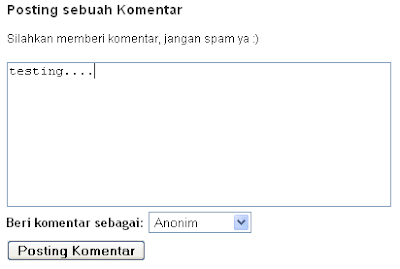
After so long in the complaint use, ultimately improving the Blogger Team is also complicated the problem in comment form, the new features this time we will no longer find that annoying blogger comments. Blogger now allows us to put comment form (Embedded Comment Form) under the posts.


To install the Embedded Comment Form to login first to http://draft.blogger.com then on the "Settings" select the tab "Comments" after it agreed to a "Placement Formula comments" do not forget to check the "Embedded below post" do not forgotten saved and see the results.


STOP! if you've succeeded, the following article does not need to be continued.

Please note before you try this feature sometimes does not directly work on the template already in the modification, for blogs that have not been on the modifications I think there is no problem. To overcome this problem blogger offers a somewhat less well, ie by deleting coding <b:widget id='Blog1' locked='true' title='Blog Posts' type='Blog'> then put back the code to its original position . This method does not delete the actual post page elements, if still forced us to lose the previous setting.

To try the solution into the layout of the pages - Edit HML (do not forget to check the Expand Widget Templates).

Find the code below: (Sometimes a little different each template just so focused to the color code green)

<p class='comment-footer'>

        <b:if cond='data:post.allowComments'>

        <a expr:href='data:post.addCommentUrl'            
expr:onclick='data:post.addCommentOnclick'><data:postCommentMsg/></a>

    </b:if>

</p>


Already? then delete all the above code and replace it with all the code below.

<p class='comment-footer'>

<b:if cond='data:post.embedCommentForm'>

<b:include data='post' name='comment-form'/>

<b:else/>

<b:if cond='data:post.allowComments'>

<a expr:href='data:post.addCommentUrl' expr:onclick='data:post.addCommentOnclick'><data:postCommentMsg/></a>

</b:if>

</b:if>

</p>


Do not forget to save, please try again, if it still does not work try to go back to the comment page and check back "Embedded below post".

Hopefully the above ways can help to solve your problems

How to Build a SEO Website

How to Build a SEO Website

Today, even small companies using the Internet as a major tool in building a customer base, maintain relationships with their clients and this also means that most basic of their advertising.

Designing a company website that cheap and effective, yet more important for the world wide web is the only information medium that offers instant access to millions of users around the world.

Search Engine Optimization (SEO) is key to building an effective site that will get lots of hits and visitors. A web site that nobody visits is useless so the challenge lies in leading Internet users to visit Web sites.

Thus, your website must be "discovered" when a user types a keyword in the search engines like Google, Yahoo, MSN, Altavista, AOL and others.

After the keywords associated with the product or service you offer is to enter into a search engine, a direct link to your website must appear on the list.

You must use a search engine optimization techniques to lead traffic your way, and get more hits that would later lead to more profits for your company, what is your goal in the first place.

Here are some search engine optimization tips on how you can make to the list of search engines and using SEO techniques to benefit your website and your company:


SEO Technique 1: If you have a website and domain, just optimize the one you have, rather than buying a new domain.

This will take some time before your website will appear in certain search engines, like Google, so it's better to use one you have now rather than switch to the new.

SEO Technique 2: Know who your target audience and purpose for them.

If you are in manufacturing industries and types of users on your product in search engines, then you will immediately have your target right in front of you.

Immediately after the user hits the Enter key or click on 'Search', then that person will lead to your website.

Make sure that your target market will get 'hooked' on your website. After the search engine displays links to your website, their task completed.

What you should do next is to ensure that visitors will not leave your site without them try your product or service, or at least leaving some pertinent information so you can contact them in the future for marketing and advertising purposes.

When hitting a particular target market, learn about their interests, location and age to have an idea of what you can offer to them in return.

Also, you can connect somehow in their interests to your products and services.

SEO Technique 3: Find the right keywords.

You must be creative, persistent and flexible when searching for your keyword or keyword phrase to use in optimizing your web site.

Google and Yahoo offer some SEO tips and tools on how you can come up with keywords that will give results.

Do not be satisfied with only one keyword. You can also vary the words and phrases you use for each page on your website so that you can have more hits.

SEO Technique 4: Consider your target market when designing your Web site.

The design itself would include the general theme of the website. You must also consider the small details like color and font style and size.

Make sure that the website is user-friendly and do not forget to insert helpful articles, tips, hints and links that can be shared to other users.

This is a good thing to have the option to send a link or article to a friend, who will add more users and increase your client base.

There must also be a variety of ways to browse your site, to customize each user.

Someone may be difficult to use the scroll down option so you must also provide a hyperlink that can be accessed by them.

SEO Technique 5: Concentrate on the website content.

Regularly update your website content so that the old and new users can discover something new when browsing through your website.

Making a brief and appropriate content. Writing content that has more than 600 words that will make users lose interest, because most of them do not really read but just skim through the text. * Do not take too many SEO consider: your visitors should take precedence!

Trying hard to be the best and most comprehensive site and you'll make a mark when it comes to information about products and services you offer.

It helps a lot to pay attention to detail, too

Finally, keep your website content updated is a must (first, to keep your readers to read and second, for the purpose of SEO).

Spread the word about your website and use this basic search engine optimization (SEO) techniques and you will get positive results once users visit your website.

Thus, the end babble "How to Build a SEO Website". Thanks

How To Create Autoblog / Blogs To Advertise Automated Or Auto Backlink Generator Blog

What's autoblog?
Have you ever experienced or become victims of duplicate content from bloggers who are not responsible?
Duplicate content is meant is not a copy-paste, but re-capture and publish RSS unilaterally.

    * What is your reaction when you work hard to publish the article, and then you publish articles that appear on the blog someone else?
    * How the person can re-publish or post RSS from our blogs?
    * I think you already know what the effect will happen when autoblog person who has a higher pagerank than our blogs, right?
    * Then there any way to overcome this?

From the above questions, of course, you already know the description of what it autoblog.
Yup! Autoblog is a blog that can publish / post in automatic rss from other sites (the victim), only by using or subscribing to RSS blogs victims.
Illegal?

Autoblog for addressing this phenomenon is dependent on the attitude of ethics and professionalism in the world of blogging from ourselves each.

Autoblog be used for good things like;

        * Create autoblog to advertise services for free auto classifieds.
        * Create autoblog as automatic link exchange service or auto backlink generator, etc..

Then, if autoblog can be made by using blogspot? Sure can.
How? Are you interested?


Step How To Make Autoblog At Blogspot

This is one way to post via email automatically or all incoming email into our inbox will be published / posted automatically into our blog, we will create a new account or e-mail, but must use gmail, do not YahooMail or other reply.

   1. Make a new gmail account, not yahoo or other mail.
   2. After that, create a new blog, on blogspot bloggers of course.
   3. After a new blog, go to your new blog Dashboard and select Settings.


   4. Once in the Settings, choose the tab Email & Cell.

   5. Then, create a name email it to you later we will use to subscribe.
      The format will be like this: gmailaccount.youremail@ blogger.com, and select the option 'Publish emails immediately' or 'Publish emails immediately', and Save.
   6. After that, go to your new Gmail and select Settings.

   7. In this setting fields select Filters and then click Create Filter.

   8. Furthermore, the column To / Go, fill in the name of your new email and click 'Next Step'

   9. Furthermore, check the checkbox 'forward to', enter the name of an email from no.3 steps above, then click the form button 'Create Filter'

  10. It's finished, and you are now ready to hunt RSS for material you post.


Now, on every incoming message / inbox to your new email earlier, will be automatically posted on your new blog is, so use email to subscribe to only do things that are personal.


To enter RSS Blog articles
You can use the site www.feedmyinbox.com
For example I enter the address of this blog RSS: http://feeds.feedburner.com/blogspot/aCIu
Enter a column on www.feedmyincox.com website URL and do not forget to enter your email then click Submit, too.


Creating Blog Auto / Autoblog To Services Advertise Auto Otomastis Or Baklik Generator

If you are interested in creating autoblog as a means of advertising and the auto install link exchange generator, can www.emailmeform.com use the site, which will help you create forms for visitors.

So next time visitors to provide input data on the form, will be sent directly to our new email, which will automatically publish on our blog.


I hope this Helpful Info For You and the other person also!

ad